How to post your sale
By Rory at Estate Sale Zone · Published
Tap Post a sale at the top of any page, fill in the title, the kind of sale, the address and the days and hours, and tap Post this sale. It's free. Once we've confirmed the address, which is usually straight away, your sale is on the map, and its page has signs to print and pictures to post.
A free account. Posting is open for sales in San Diego, Chula Vista, Los Angeles, and Orange County (Anaheim, Santa Ana, Irvine and Huntington Beach).
1. Create a free account
If you aren't signed in, Post a sale asks you to. The account keeps your sale in one place, so you can come back for its signs and pictures. You can also continue with Google.
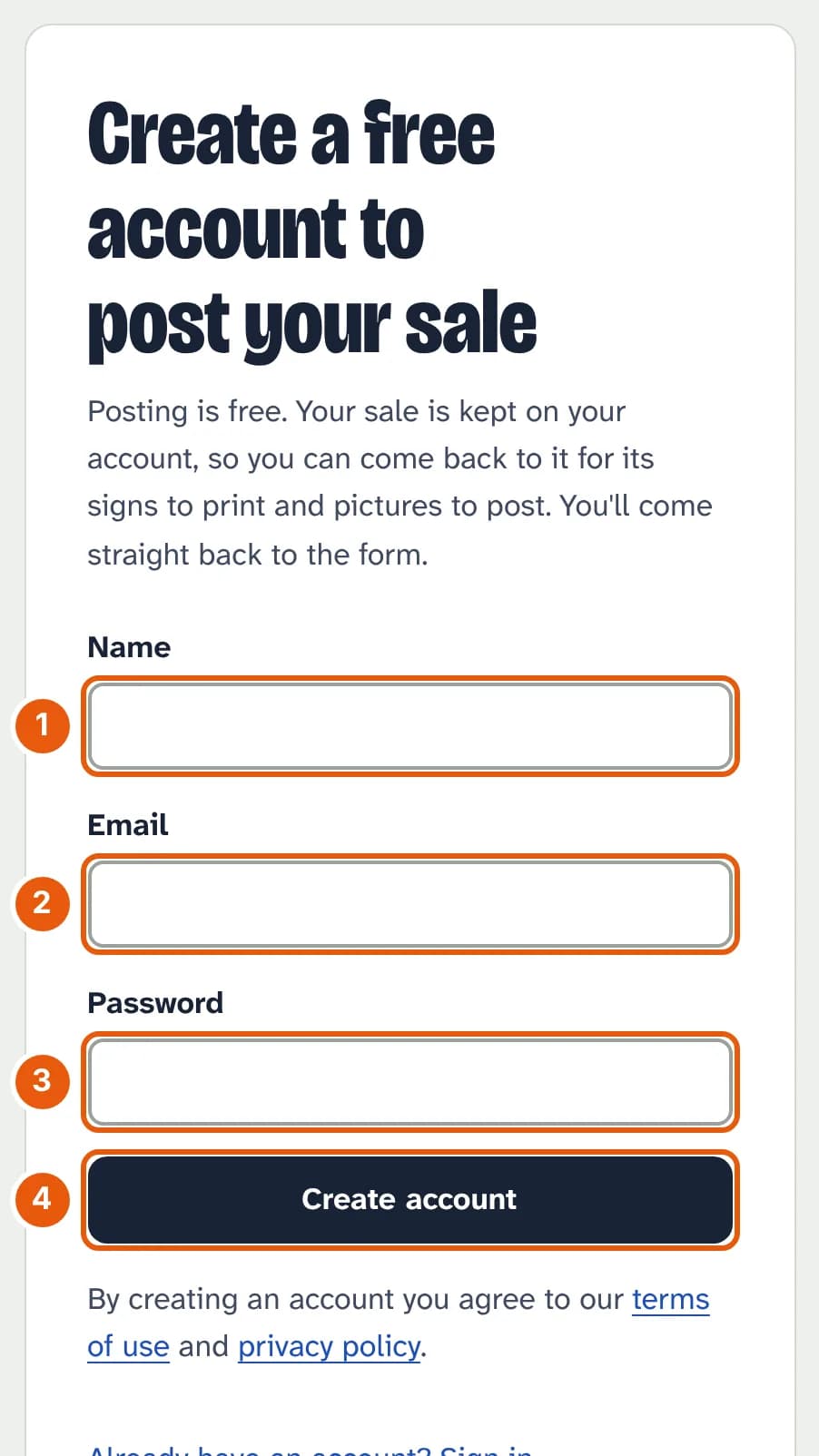
- Your name.
- Your email address.
- A password of at least 8 characters.
- Tap Create account, and the form opens.
2. Fill in the sale
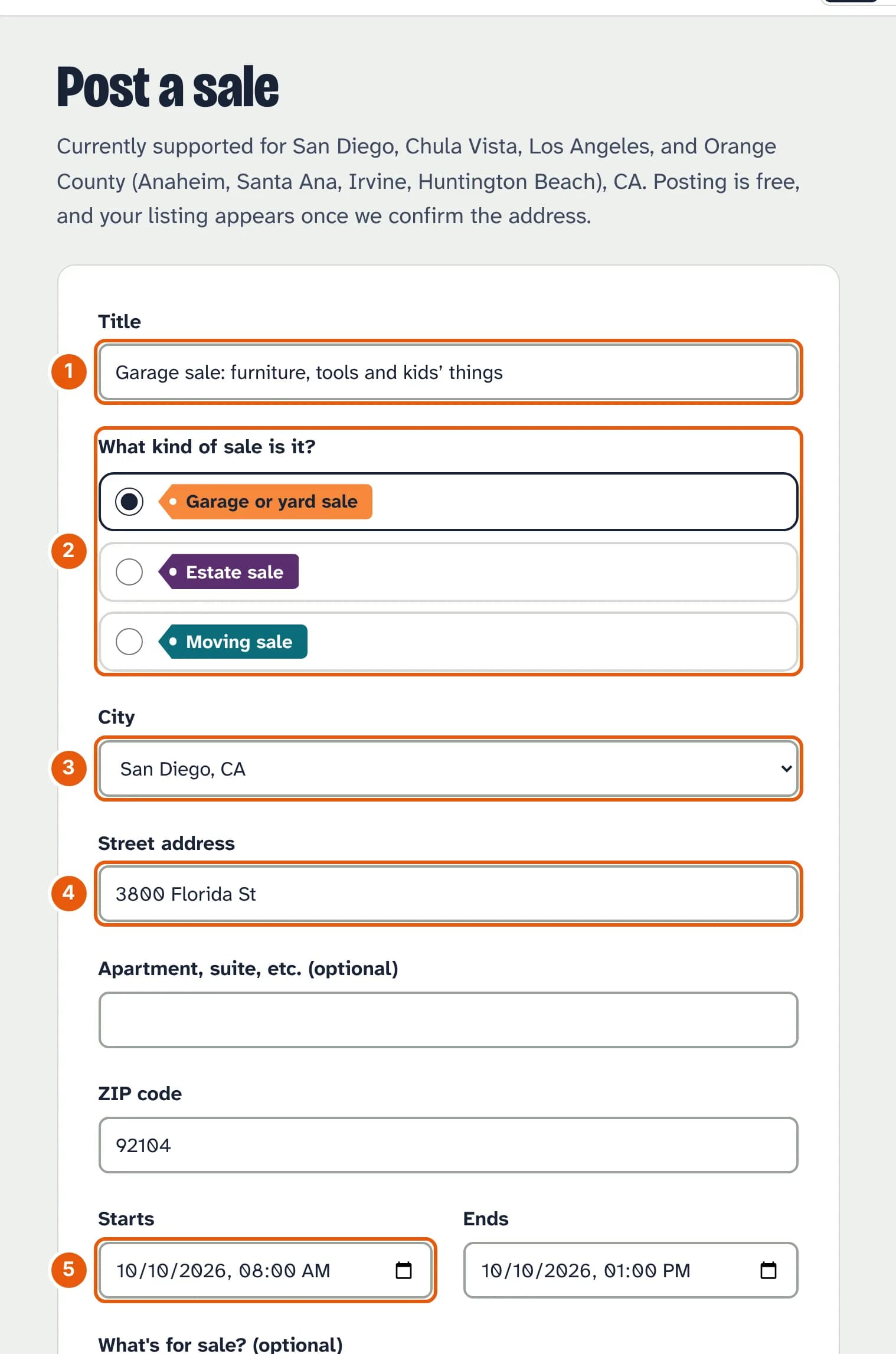
- Title: what shoppers see first. Say what's for sale (“Garage sale: furniture, tools and kids' things”).
- What kind of sale is it? A yard sale is a garage sale here.
- City, from the list.
- Street address and ZIP code. We check the address on a map before the sale is shown, so shoppers' directions take them to your door.
- Starts and Ends, in Pacific time.
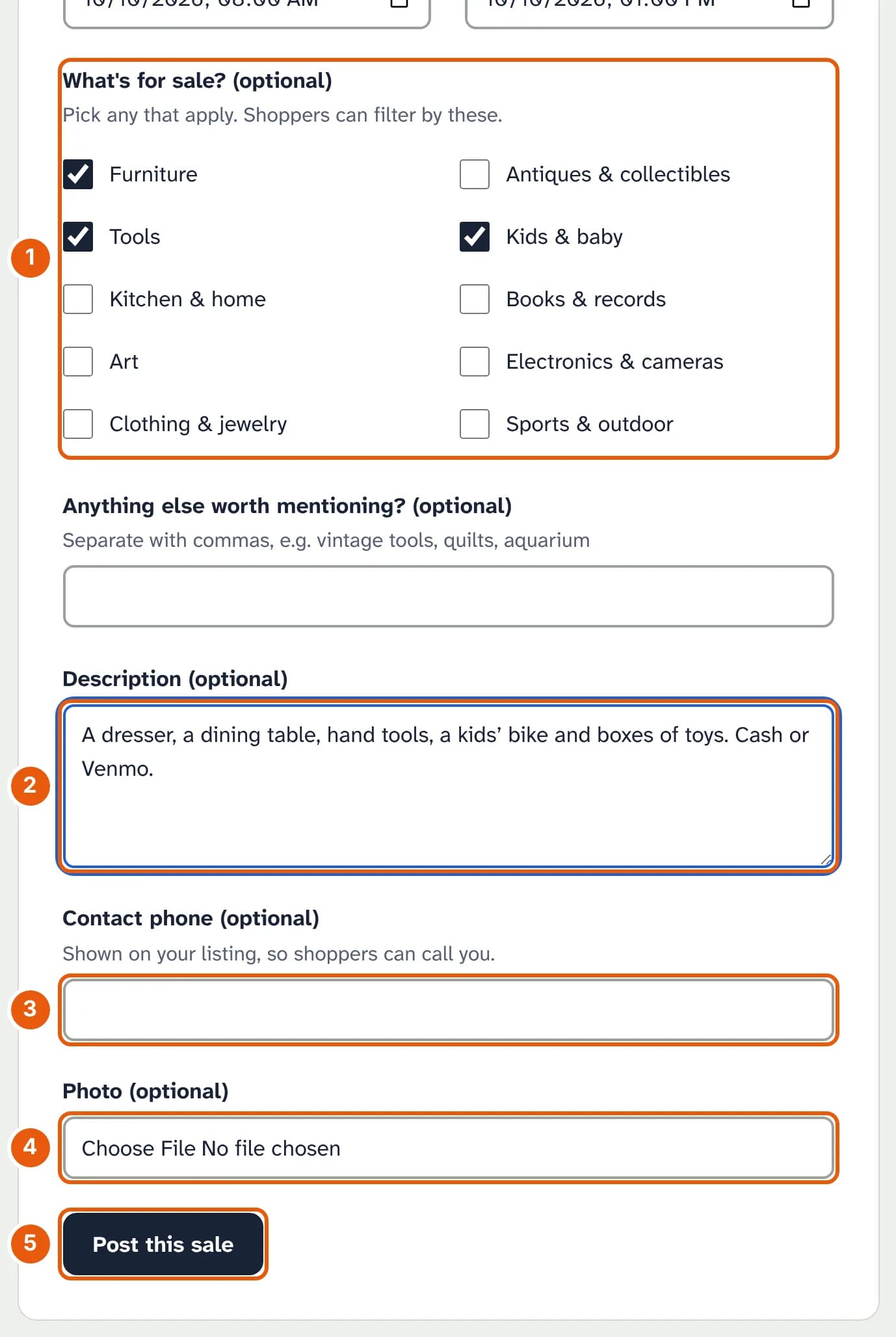
- What's for sale? Tick any that apply; shoppers filter by these.
- Description: the things people search for (“teak dresser”, “Lego”), and anything they should know, like cash only.
- Contact phone, if you want calls. It's shown on your sale's page.
- Photo: one JPEG, PNG or WebP picture of up to 5 MB.
- Post this sale.
3. Your sale is live
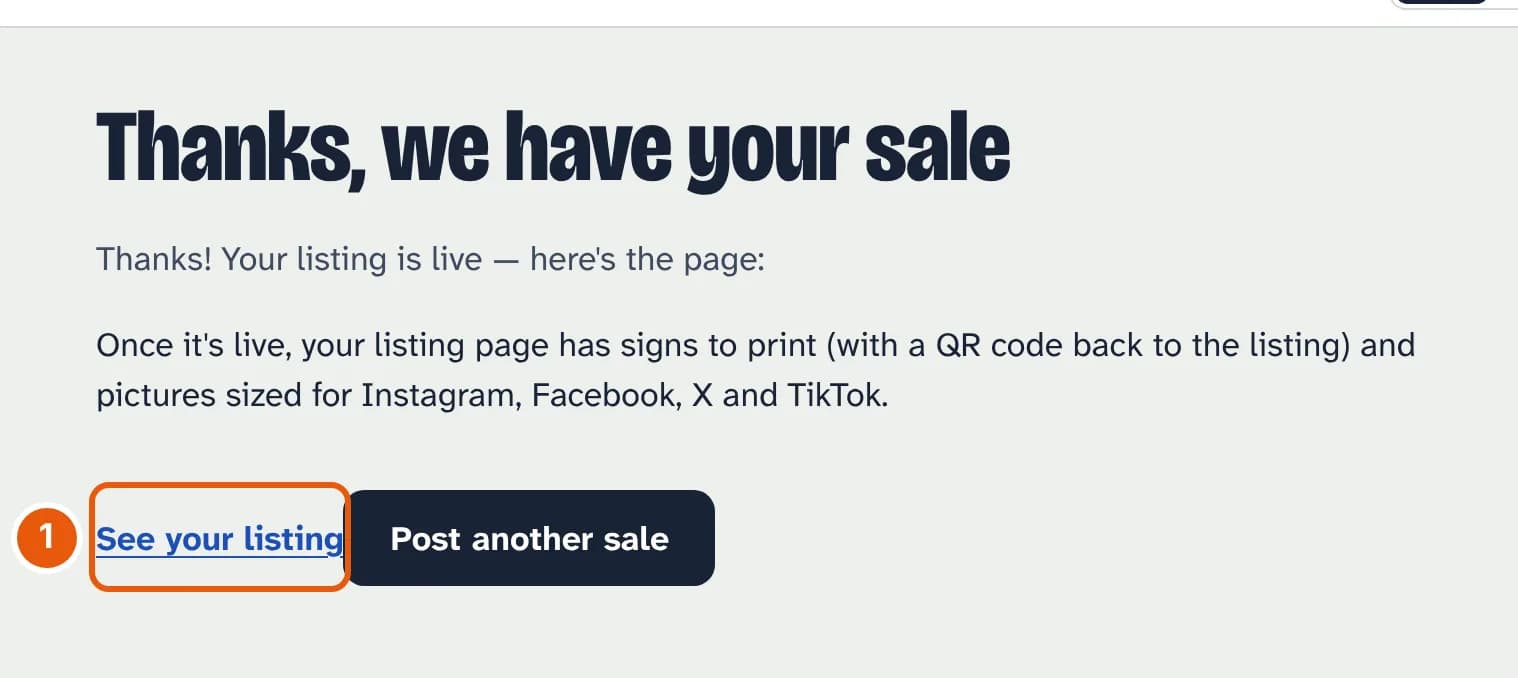
- See your listing opens your sale's page at its signs and pictures.
If we can't match the address on a map, the sale waits for one of us to check it, and you'll see we couldn't confirm the address yet, so it's held for review. Shoppers with a saved search that matches your sale get an email about it, and it goes in the Thursday newsletter for your area if it's on that weekend.
4. Find it again under Your sales
Your sales at the top of the page lists everything you've posted.
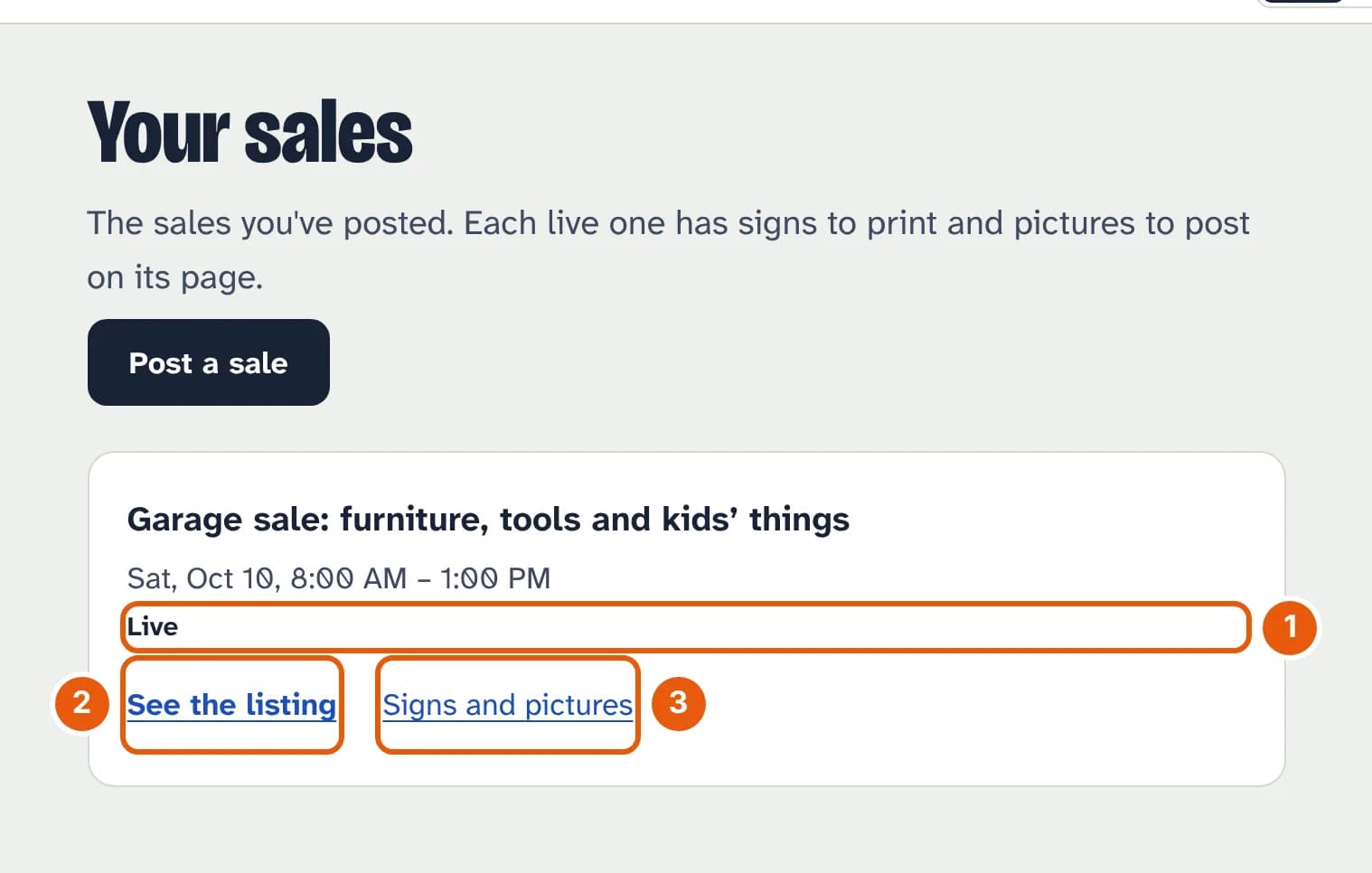
- Its status: Live, Waiting (held for the address check), Ended or Taken down.
- See the listing: the page shoppers see.
- Signs and pictures, while it's live.
You can't change or remove a posted sale yourself yet. Email us from the address on your account and we'll do it.
5. Share it
Only you see this part of your sale's page. Each button opens the app or a message with your sale already written out; you still choose who sees it.
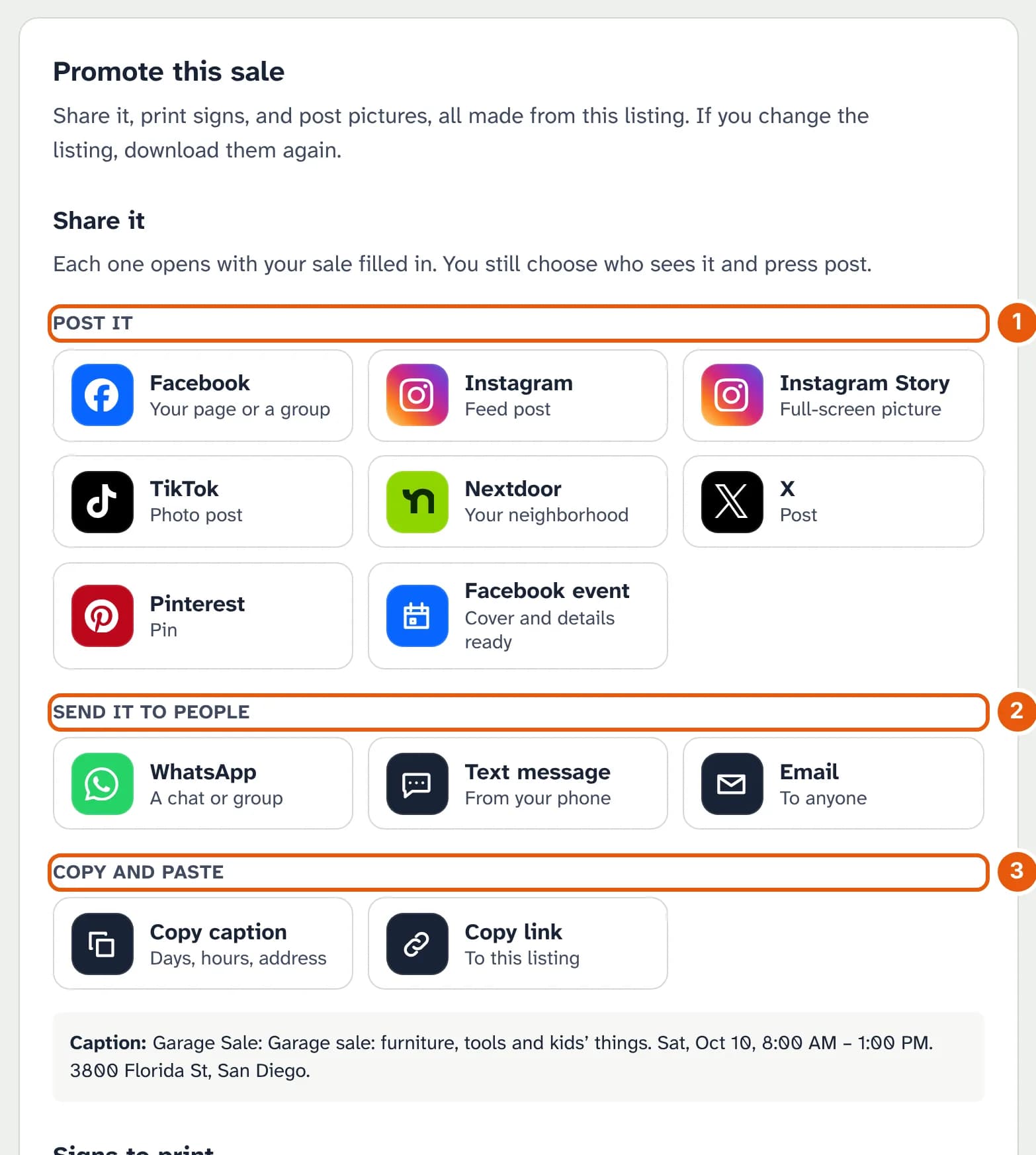
- Post it on Facebook, Instagram, TikTok, Nextdoor, X, Pinterest, or as a Facebook event with a cover picture.
- Send it to people by WhatsApp, text message or email.
- Copy and paste the caption (days, hours, address) or the link anywhere else.
6. Print signs
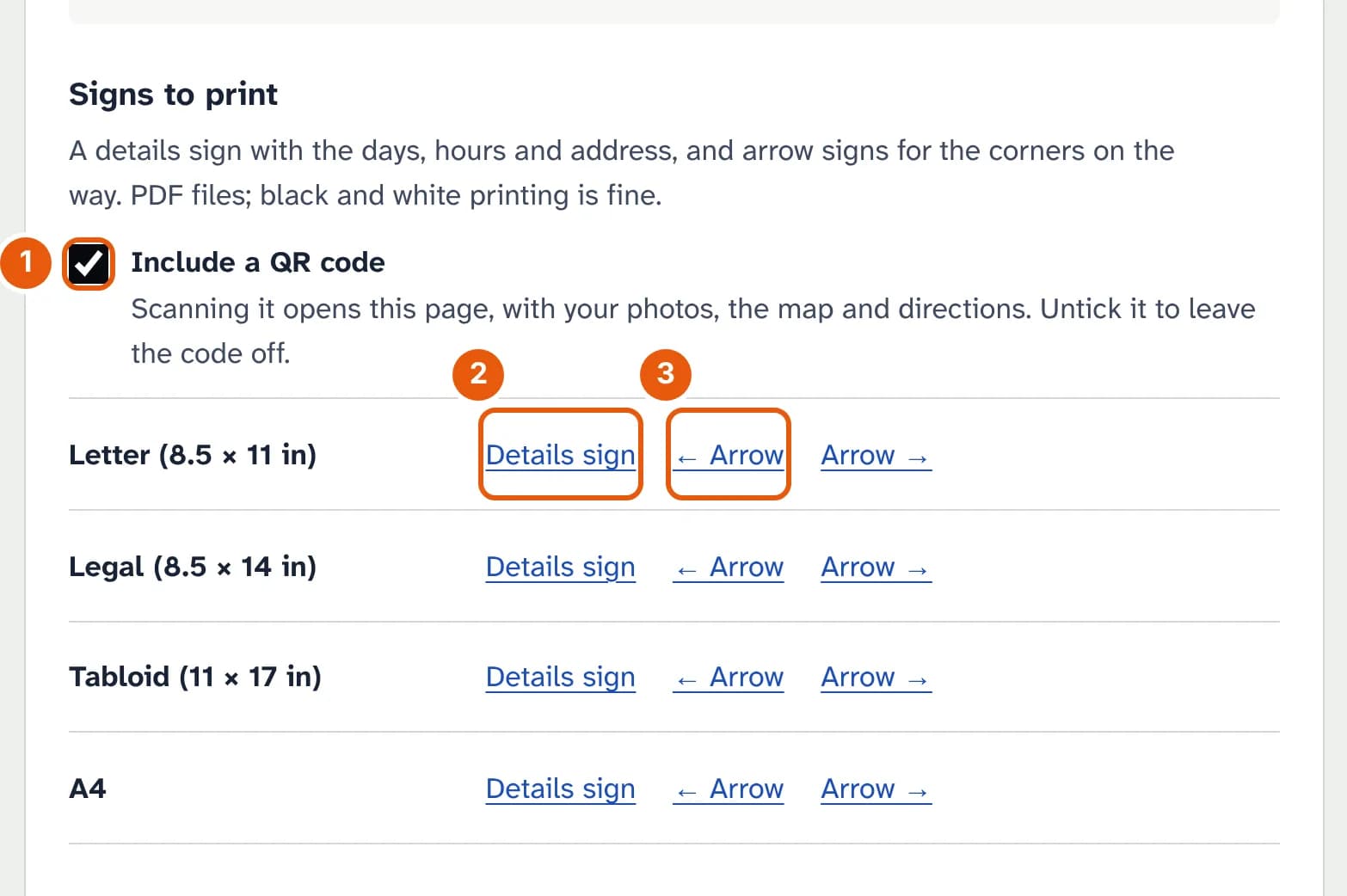
- Include a QR code: scanning it opens your sale's page. Untick it to leave it off.
- Details sign: the kind of sale, the days, the hours and your address, for your yard.
- Arrow signs, left and right, for the corners on the way. All of them print in black and white.
Below the signs are pictures sized for each place you'll post: Instagram and Facebook posts, Stories and TikTok, X, a Facebook event cover and Pinterest. Where you can put signs up is in our guide to free printable garage sale signs.
Post your sale
It's free, and the signs and pictures are ready as soon as it's live.