How to check what something is worth
By Rory at Estate Sale Zone · Published · Updated
Written, edited and reviewed by Rory before publishing. How we make guides
Open What is it worth? at the top of any page and take a photo of the item, or choose one you've already taken. In a few seconds you see what it is, a typical price at estate and garage sales, and what similar ones are asking on eBay.
Anyone. 3 photo checks a day without an account, 10 with a free account, and 25 on the Paid plan. Every plan gets the same answer; Paid is for checking more things in a day.
Check a photo
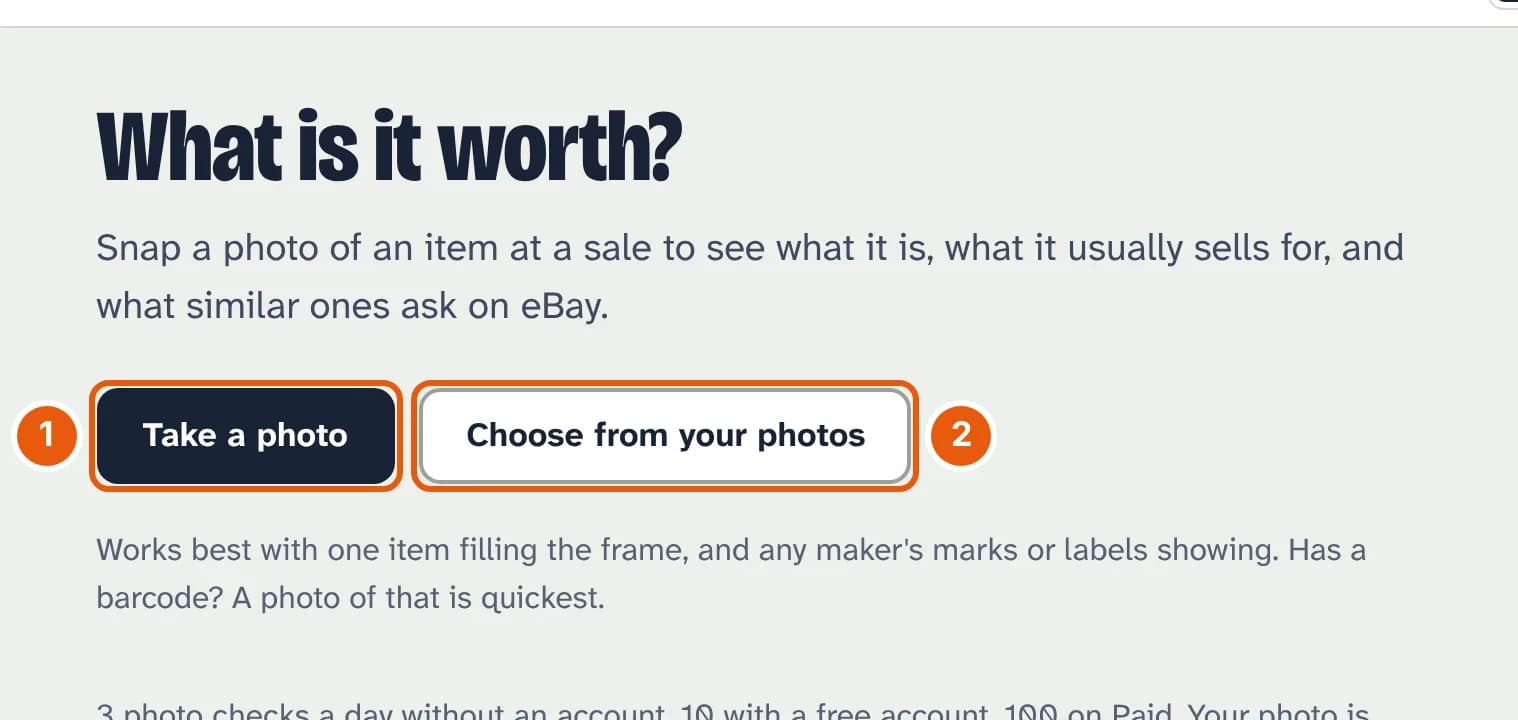
- Take a photo opens your phone's camera.
- Choose from your photos picks one you already have.
Fill the frame with the one item, and show any maker's mark, label or stamp: the bottom of a bowl, the back of a chair, the plate on a tool. If it has a barcode or an ISBN, a photo of that is quickest, because we look the code up on eBay directly.
Read the answer
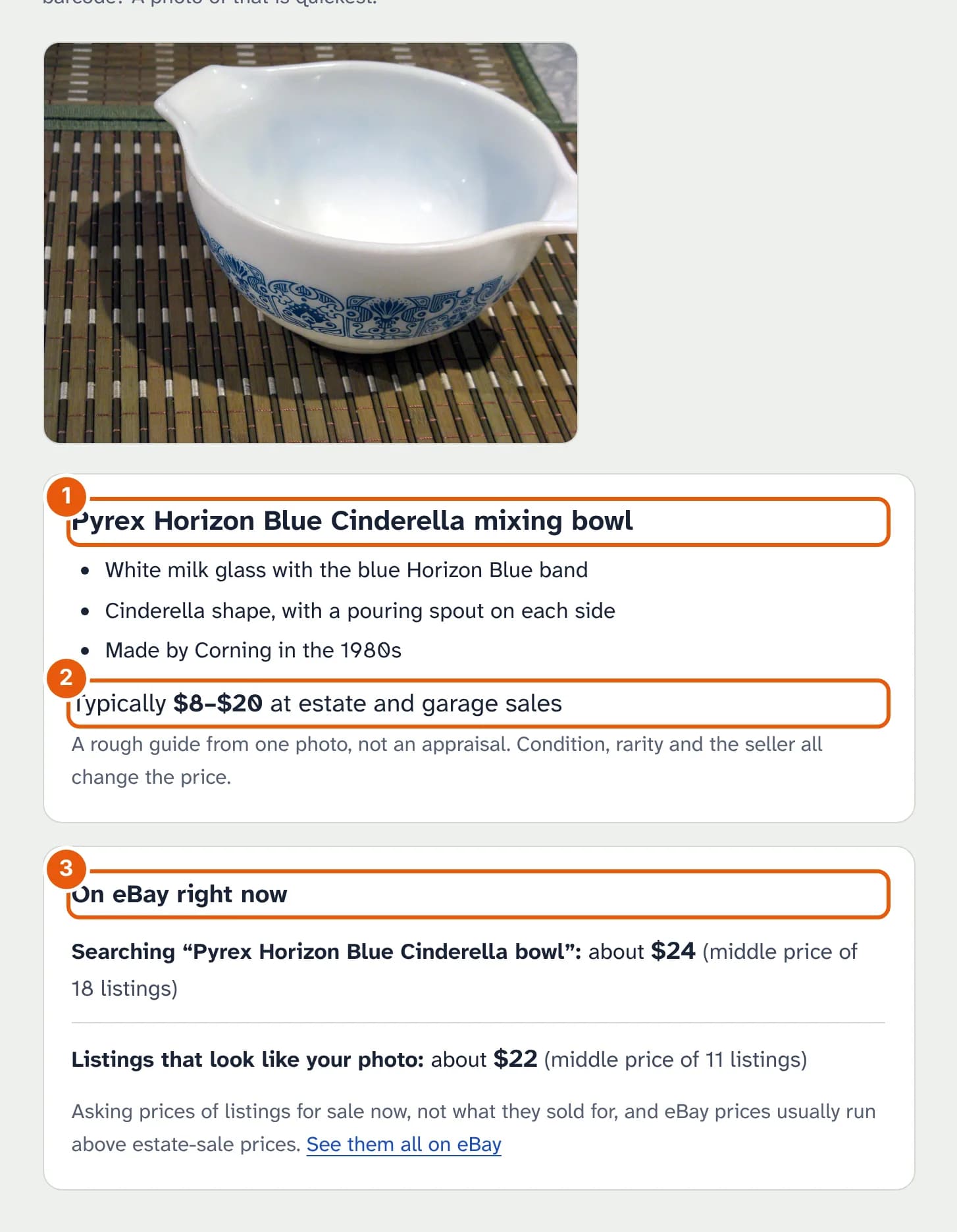
- What it is, with the details that decide its price (maker, pattern, age).
- Typically … at estate and garage sales: a rough guide from one photo, not an appraisal. Condition and rarity change it.
- On eBay right now: the middle asking price of listings found by name, and of listings that look like your photo, with a link to see them. These are asking prices, not sold prices, and they usually run above what the same thing sells for at a sale.
If we can't tell what it is, the page says so instead of guessing. A clearer photo, closer up, or of the label, usually works. When you're down to two checks, the page tells you how many are left today.
Pricing your own things
The same check works for a sale you're putting on. For what people actually paid rather than asked, search for the item on eBay and tick Sold items in the filters; then price below that, because shoppers at a garage sale expect a bargain, not an online price.
Your photo
Your photo goes to an AI model (Claude, made by Anthropic), which identifies the item, and to eBay's image search. When you're signed in, a small copy of the photo and its answer are kept under Your photo checks on your account page, where only you see them and can delete them. A guest's photo isn't kept. The privacy policy has the details.