How to manage your account
By Rory at Estate Sale Zone · Published
Written, edited and reviewed by Rory before publishing. How we make guides
Once you're signed in, a second bar under the top of every page holds your own pages: Your sales, Saved sales, Saved searches, Wishlist and Account, with your plan at the right-hand end. Account shows the email address you're signed in with and your plan, with the controls to change your password, sign out or delete the account.
Anyone with an account. A free one is enough (sign in or make one).
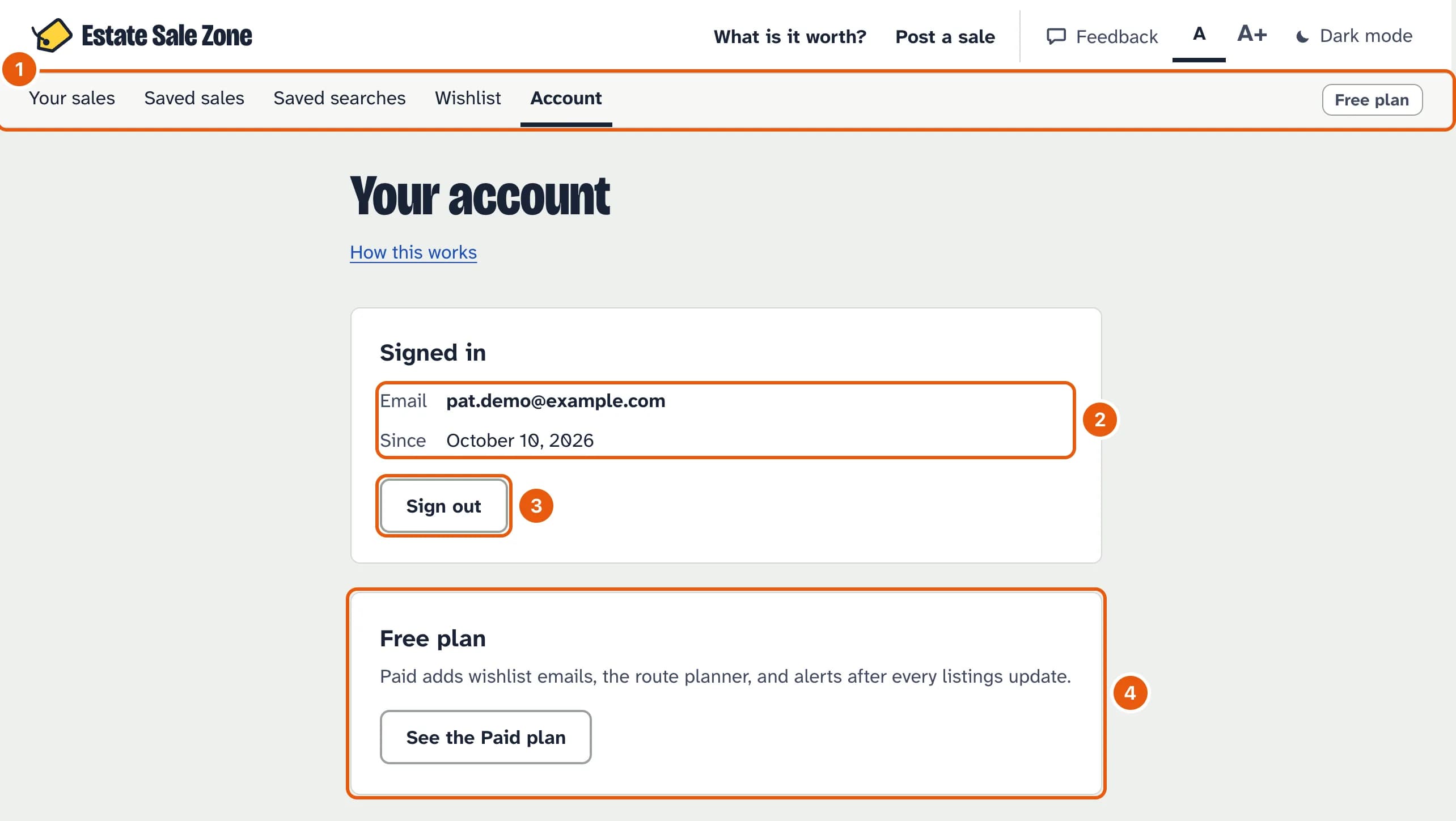
- Your own pages, on every page while you're signed in. The one you're on is underlined. Your plan sits at the right-hand end and opens Your plan.
- The email address you're signed in with, and when you made the account.
- Sign out of this device.
- Your plan. On Paid it says when the plan renews, or when it ends if you've cancelled. The button opens Your plan, where you upgrade, change your card or cancel.
Change your password
Type your current password and a new one of at least 8 characters, then Change password. You stay signed in on this device and are signed out everywhere else. Forgotten your password? Sign out and use Forgot your password? on the sign-in page instead.
If you only sign in with Google, there's no password to change, so this part of the page doesn't appear.
Delete your account
At the bottom of the page, type the email address you're signed in with and tap Delete my account. The account goes at once, with your saved sales, saved searches, wishlist and alerts, and you're signed out. Sales you posted stay on the site, no longer tied to you. It can't be undone.
If you're on Paid, deleting stops the plan straight away and the rest of the month or year isn't refunded. To use what you've paid for, cancel in Your plan instead and delete the account after it ends. You can also ask us to delete it, as the privacy policy says.