How to print price stickers and table signs
By Rory at Estate Sale Zone · Published · Updated
Written, edited and reviewed by Rory before publishing. How we make guides
Open Price stickers, choose your prices and what you're printing on, and tap Download price labels (PDF). Print the PDF at actual size. The same page makes color-dot sheets and signs for your tables.
Anyone. No account needed. If you've posted a sale, the same forms are on your sale's page under Promote this sale.
1. Price labels
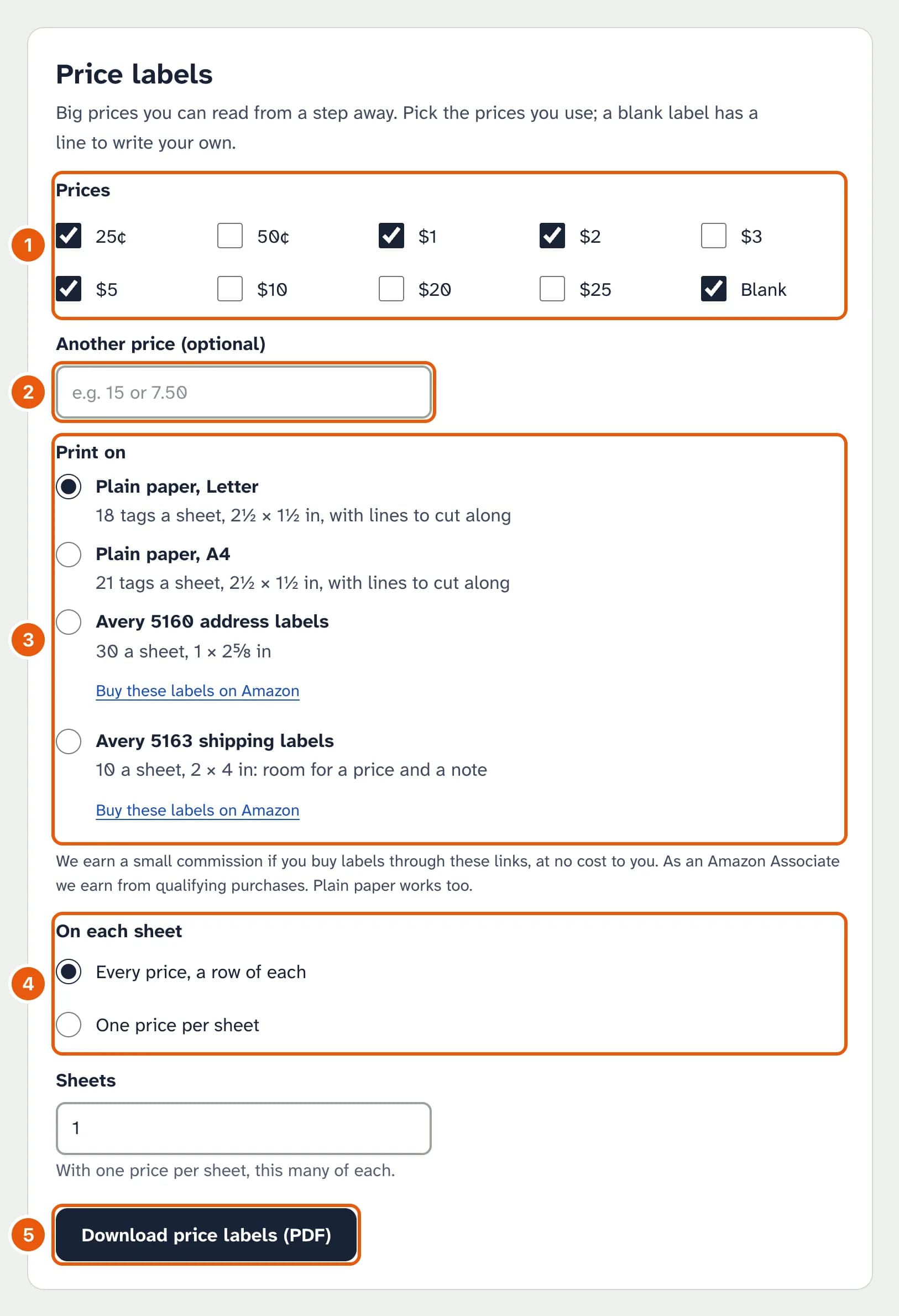
- Tick the prices you want. Blank gives a label with a line to write your own.
- Another price: any amount up to $9,999, such as 7.50.
- Print on: plain paper with lines to cut along, or a label sheet.
- Every price, a row of each mixes them on each sheet; One price per sheet gives each price its own sheets.
- Download price labels (PDF).
2. Color dots and their sign
Give each color the price it stands for. Leave a color blank to leave it out.
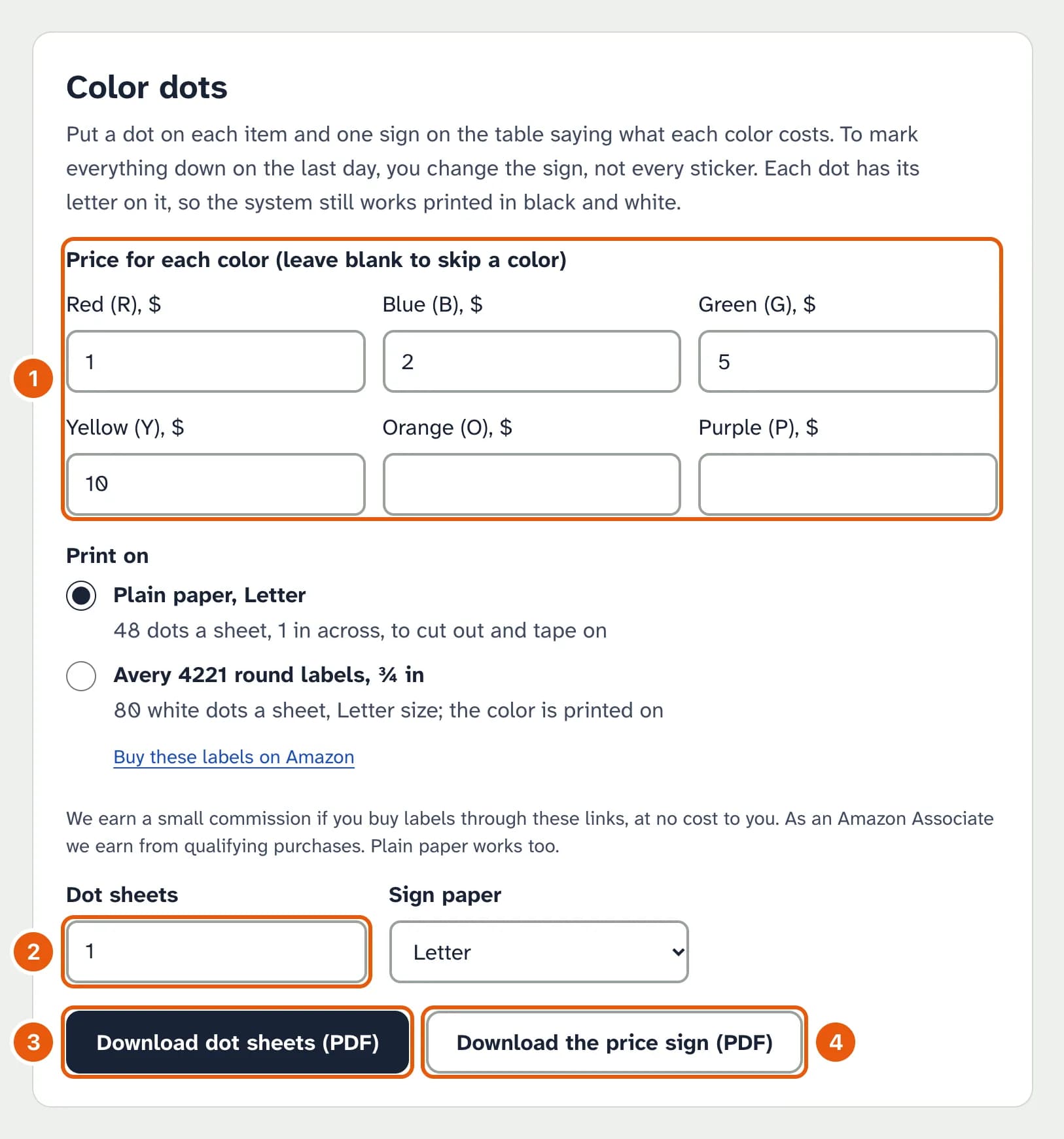
- A price for each color you'll use.
- Dot sheets: how many sheets of dots.
- Download dot sheets (PDF): dots to cut out, a row of each color, each with its letter.
- Download the price sign (PDF): the sign for your table saying what each color costs.
3. Table signs
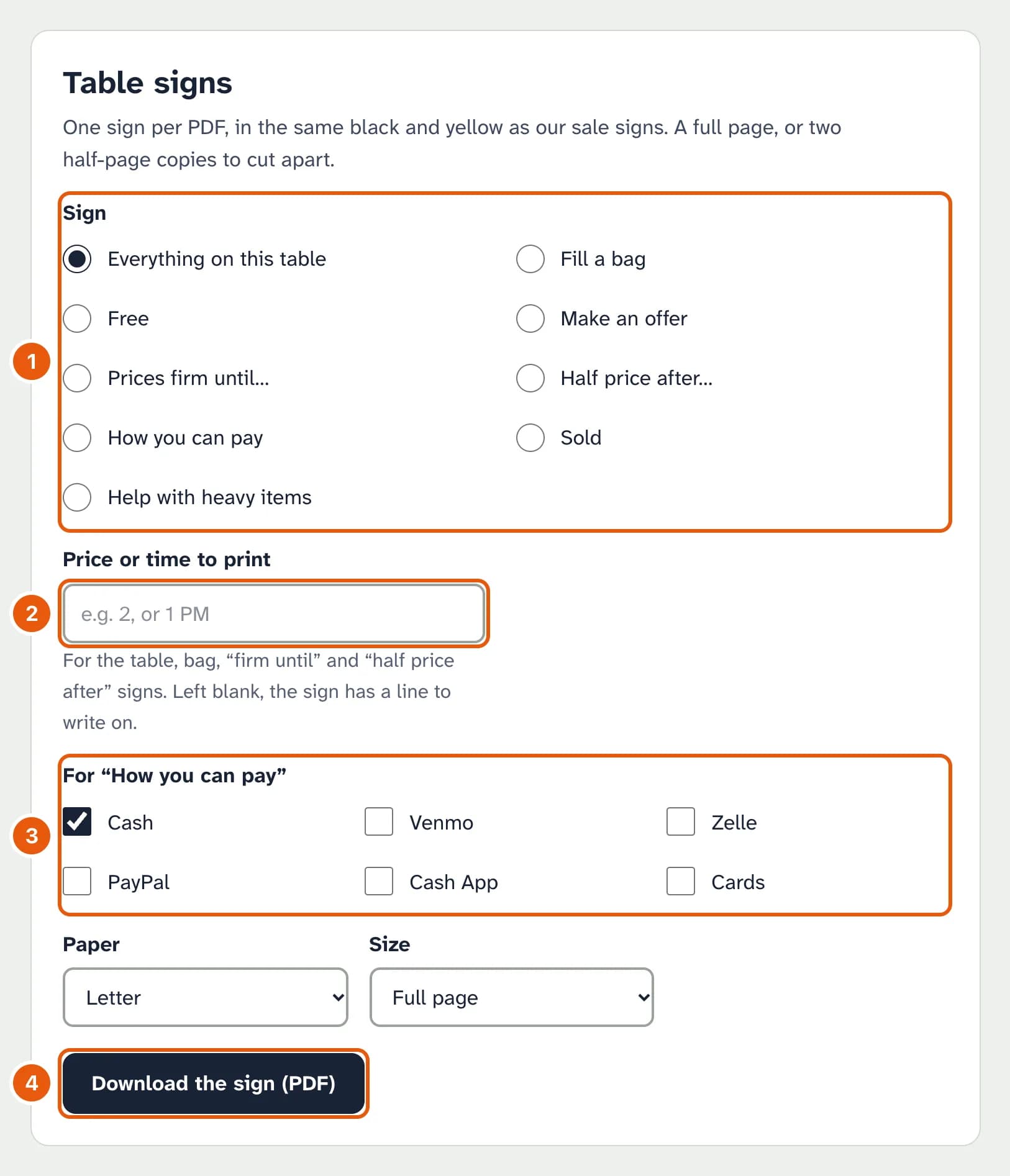
- Pick a sign.
- Price or time to print, for the signs with a blank: “2” prints as $2, “1 PM” as AFTER 1 PM. Left empty, the sign has a line to write on.
- For How you can pay, tick the ways you take money.
- Download the sign (PDF): a full page, or two half pages to cut apart.
Printing
Choose “Actual size” or 100% in the print window, not “Fit to page”. Before printing on label sheets, print one page on plain paper and hold it against a label sheet to the light to check that the prices sit inside the labels.