How to plan a route between sales
By Rory at Estate Sale Zone · Published
Save two or more sales on the same day, open Saved sales, and tap Plan a route for your saved sales. Choose the day and the sales, and the planner puts them in the order that gets you to each while it's open, with the drive between them.
The Paid plan. Saving sales is free (how to save sales).
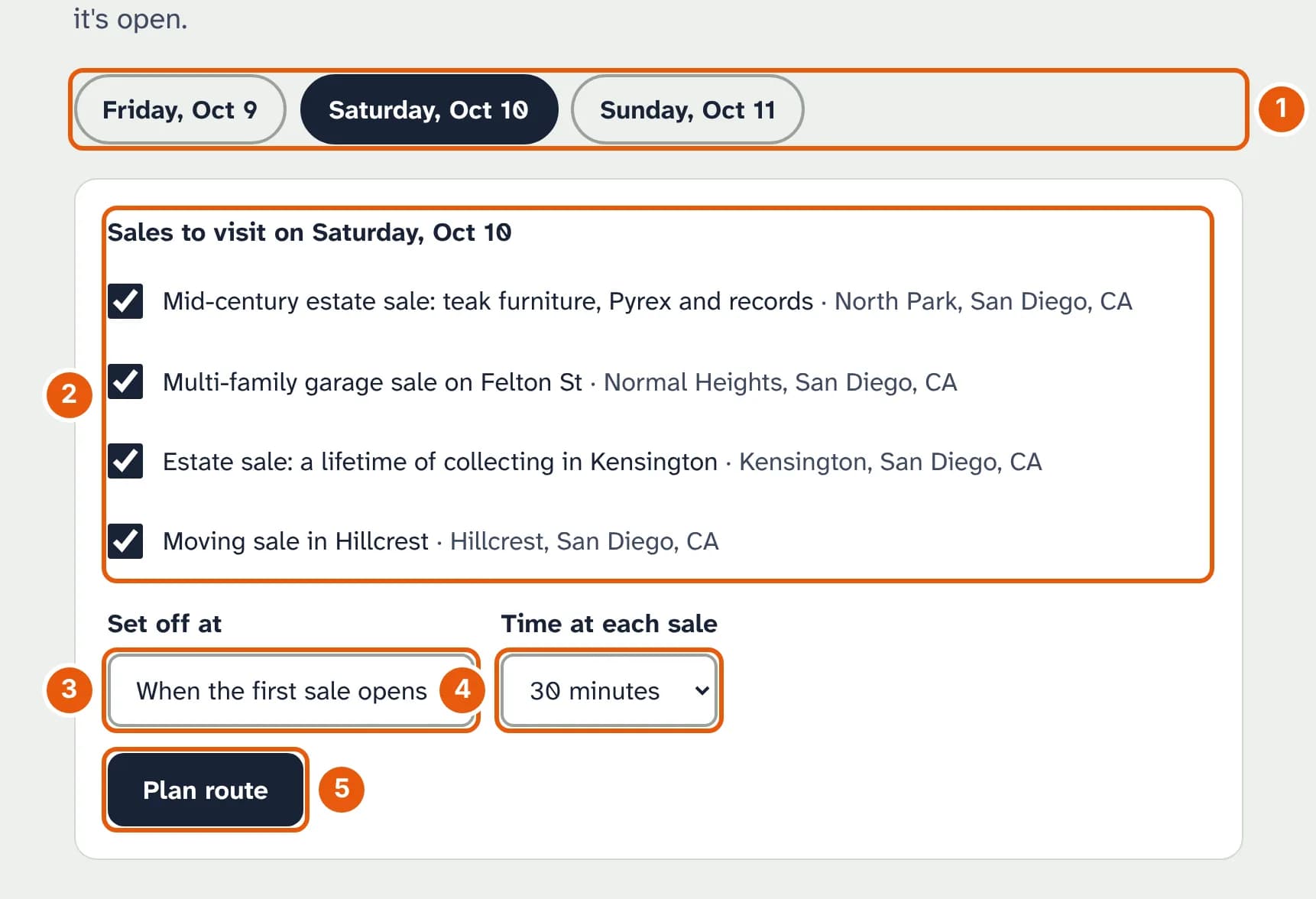
- The day. Only days with saved sales are shown.
- The sales to visit. A sale whose address isn't released yet can't go on the route, and is listed separately.
- Set off at: when the first sale opens, or a time you choose.
- Time at each sale: 15 minutes to an hour.
- Plan route.
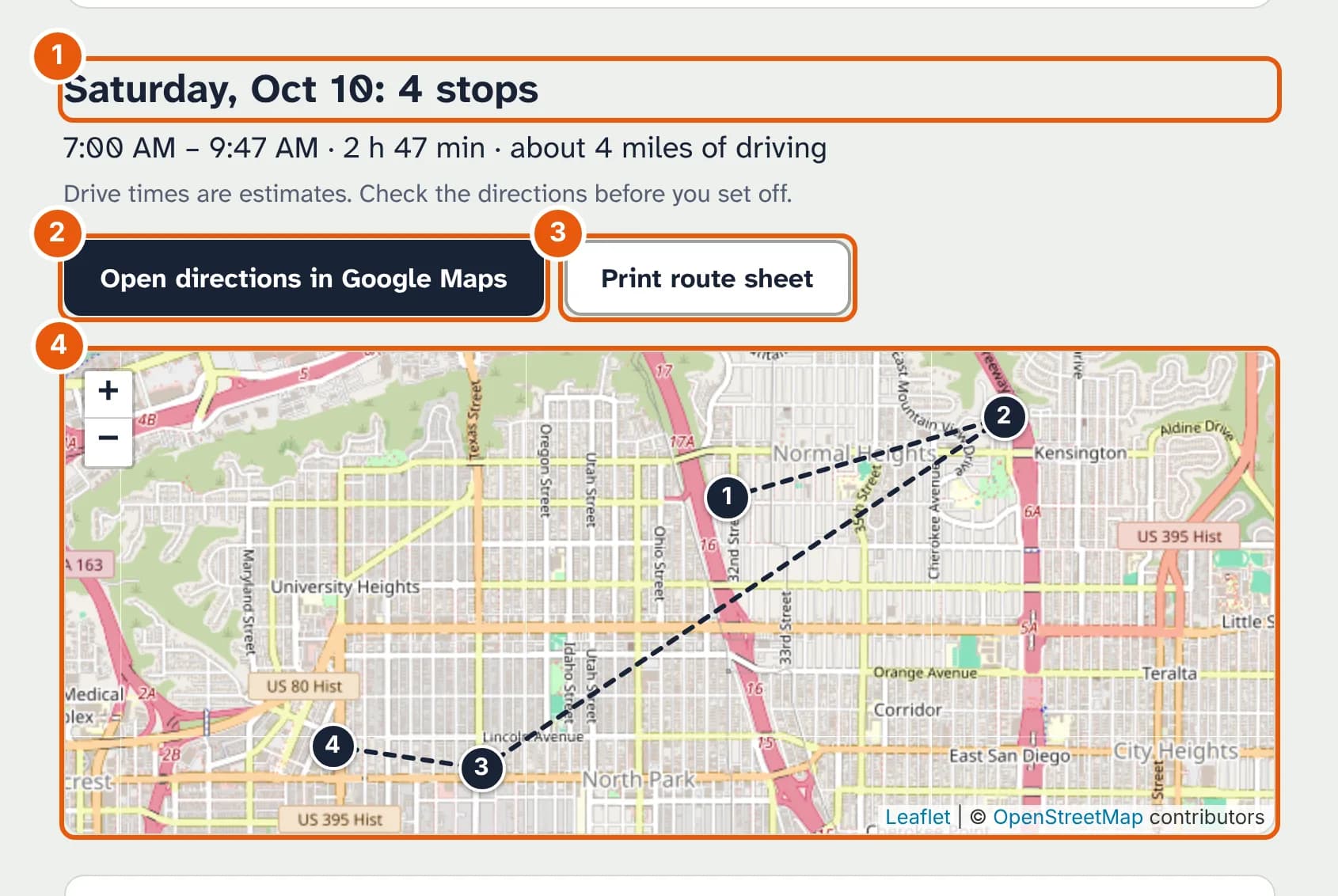
- The day, the number of stops, when you'll start and finish, and the miles of driving.
- Open directions in Google Maps with every stop in order.
- Print route sheet, for the passenger seat.
- The route on a map. Below it, each stop says when you'll arrive, how long the drive is, and its hours.
Drive times are estimates from the distance, not live traffic, so check the directions before you set off. If you'd arrive before a sale opens, the planner says how long you'd wait and suggests another sale nearby that's open then. Sales that can't fit in while they're open are listed at the end.