How to find an estate sale company
By Rory at Estate Sale Zone · Published
Written, edited and reviewed by Rory before publishing. How we make guides
Open Estate sale companies, enter the ZIP code of the house and tap Find companies. Companies with the most sales we've seen near it come first. Nobody pays to be listed or to be higher up.
Anyone can browse. Following a company and asking for a quote take a free account.
1. Compare companies
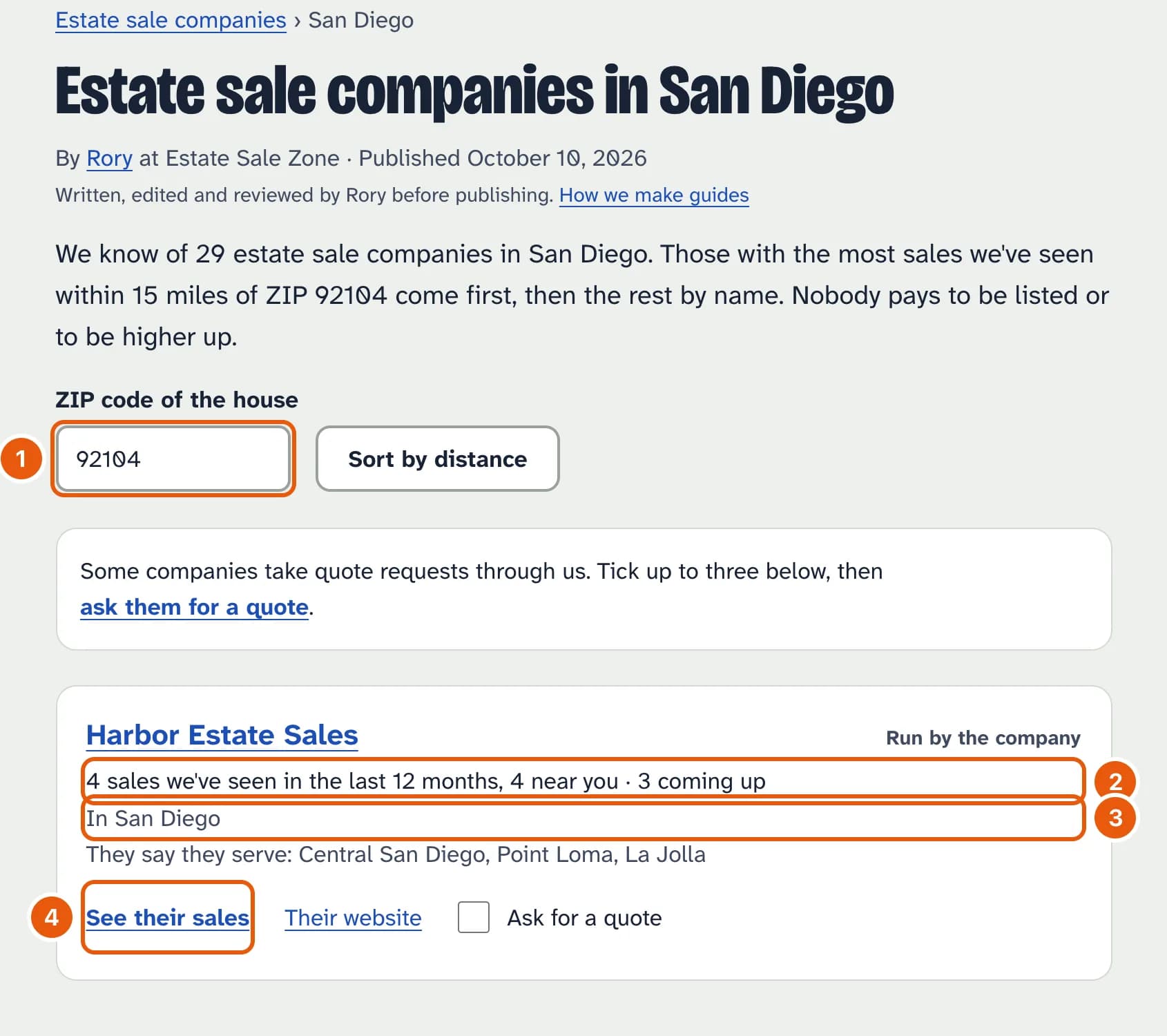
- The ZIP code of the house, to sort by distance.
- How many sales we've seen from the company in the last 12 months, how many near you, and how many are coming up.
- The towns those sales were in: where they actually work.
- See their sales opens the company's page.
Companies we haven't seen a sale from in the last 12 months are listed at the bottom. Some only list their sales on other sites.
2. A company's page
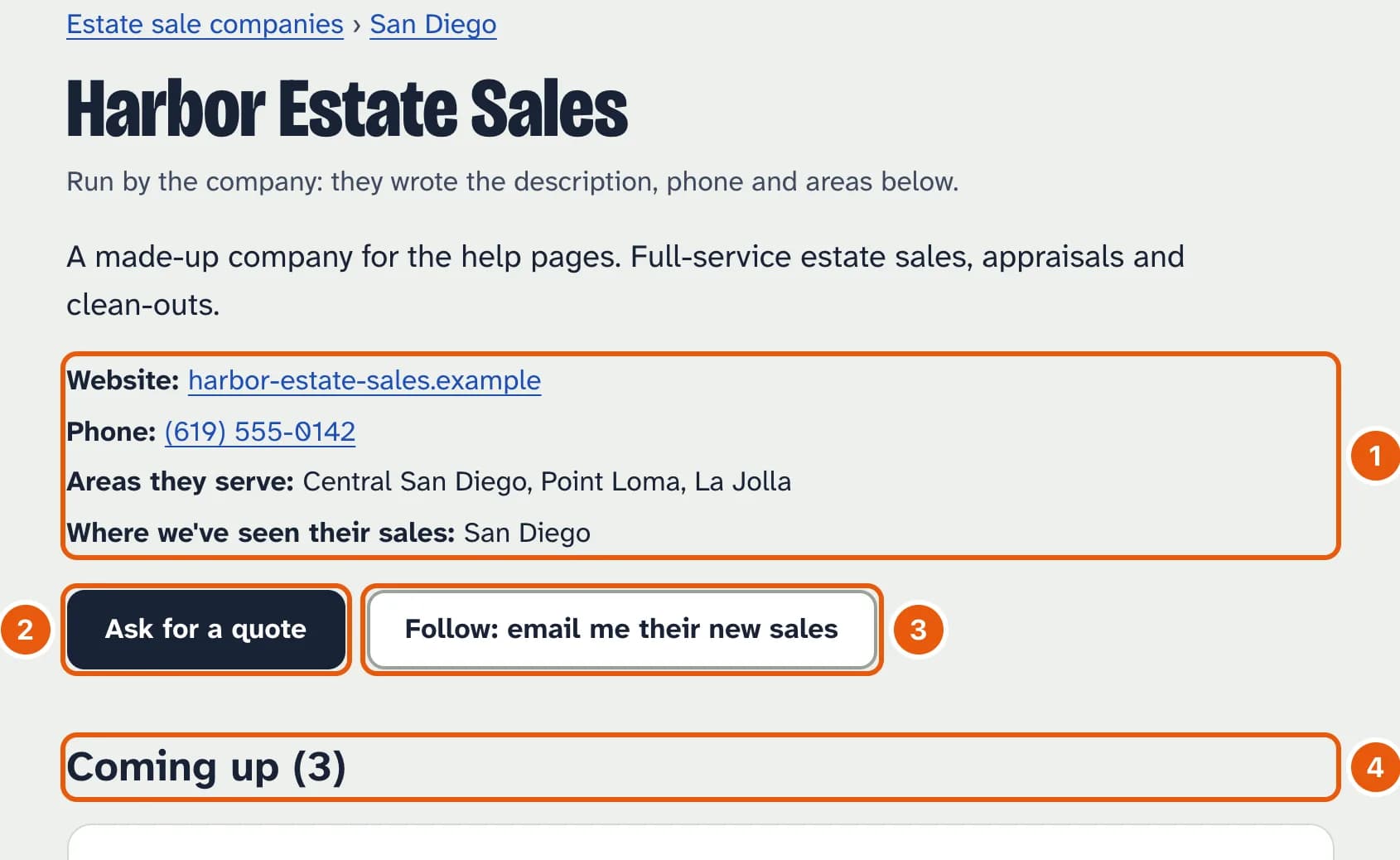
- Its website, and, once the company has claimed the page, its phone, the areas it serves and a description it wrote.
- Ask for a quote, if the company takes quote requests through us.
- Follow to get an email when it posts a new sale.
- Its upcoming sales, then the sales from the last 12 months.
3. Ask for a quote
On a metro page, tick Ask for a quote on up to three companies and tap ask them for a quote, or use the button on a company's page. Fill in the ZIP code, the kind and size of home, when you need the sale and how to reach you. Each company gets it by email and replies to you directly. We delete your contact details from our records after 90 days. You can send three requests a day.
Run a company?
Tap Claim this page on your company's page and enter an email address at your website's domain. Open the link we send while signed in, and the page is yours: Your company lets you add a description, phone and areas, take quote requests, see how many people look at your sales, and post sales as the company. To be taken out of the directory, email us from your company's address.